Background
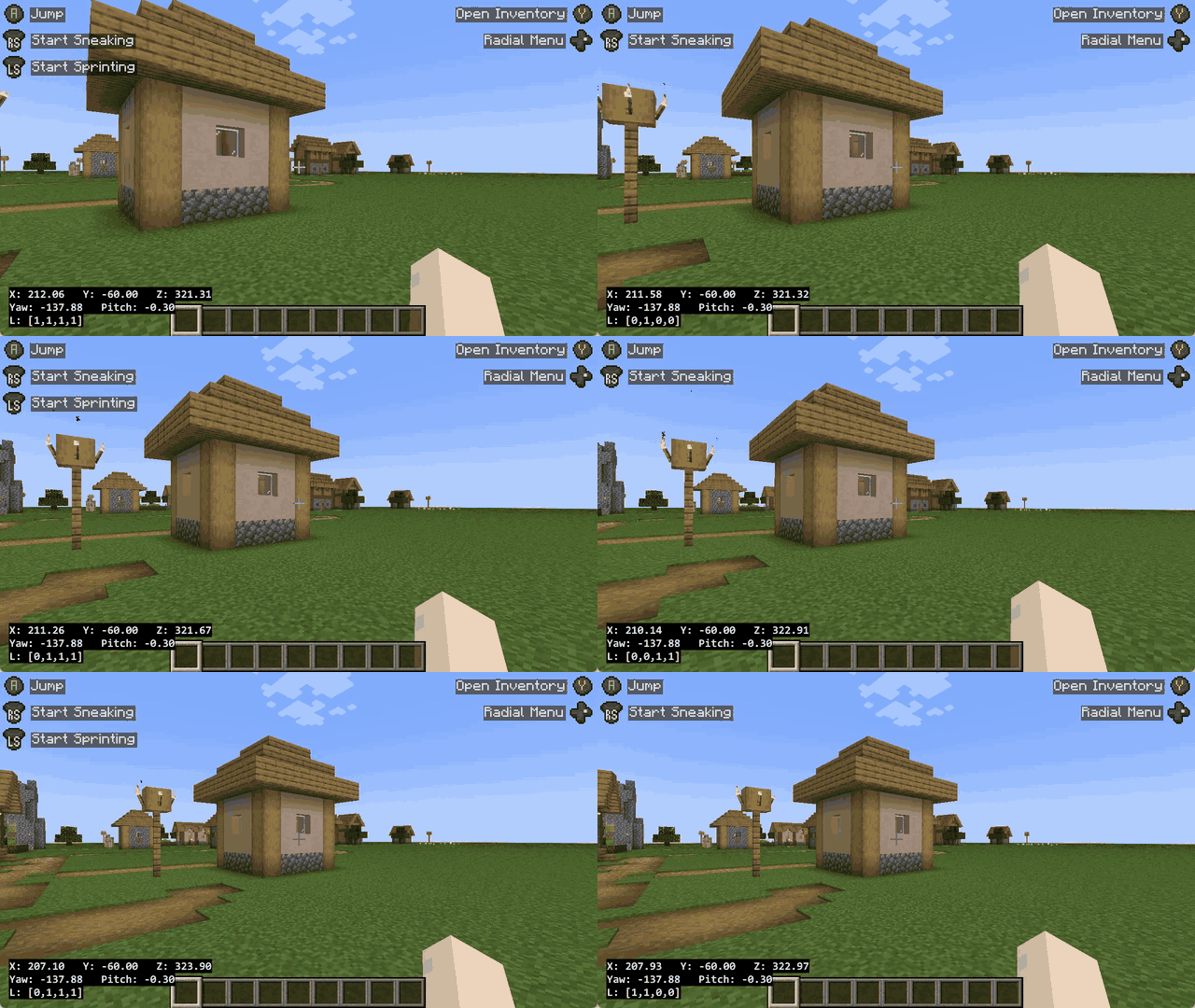
Recently I have been running world model experiments as a free-time hobby. “World model” is a blanket term nowadays, so let’s say the goal is to train an autoregressive video generation model that predicts the next frames based on the context and the current action input, like WHAMM. This requires a large amount of paired video and action data. Some would choose to record the trajectories themselves, but I wanted to have an agent doing that for me while I’m asleep.
For this, Minecraft is a great video game environment to collect data using agents. While there already exist a few frameworks for controlling agents in Minecraft (for example, Malmo, MineRL, MineDojo, and Mineflayer), I wanted to build my own agent control and recording pipeline from scratch for maximum flexibility. The goal I had in mind was to keep the game environment, the recording module, and the agent module decoupled, so that:
- for the agent I can use any policy: deterministic actions, RL policies, or LLM/VLM APIs;
- the data can be recorded at 60 FPS.
I’m sure there are better ways to set up the data collection pipeline. This post documents the way that works for me and the technical considerations I had. This includes setting up the game environment, orchestrating the recorder components, and controlling the agent.
Minecraft Game Environment
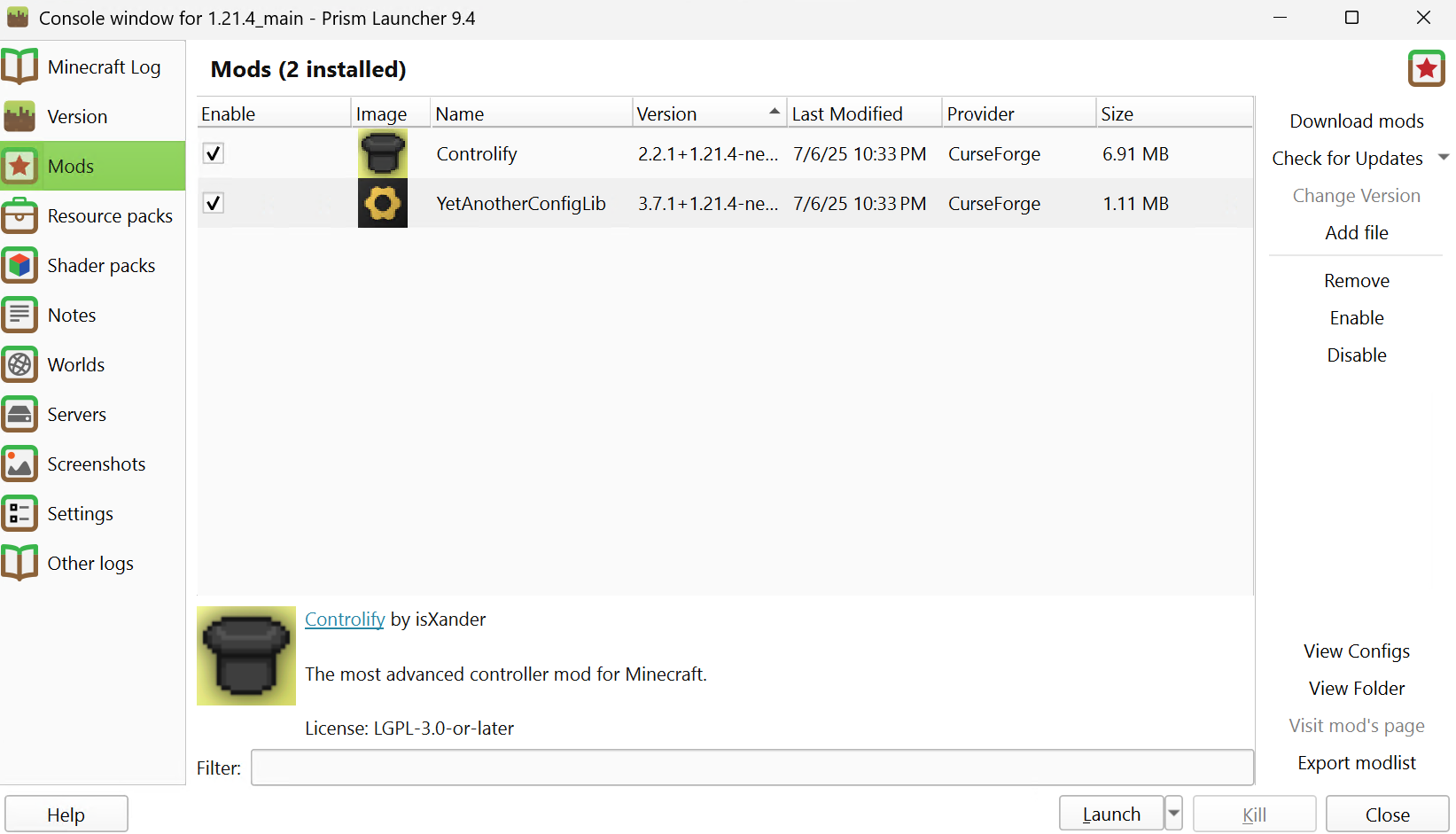
I use Minecraft Java Edition 1.21.4 with Prism Launcher 9.4. Minecraft JE does not have native controller support, so I installed the Controlify mod to add Xbox controller support.
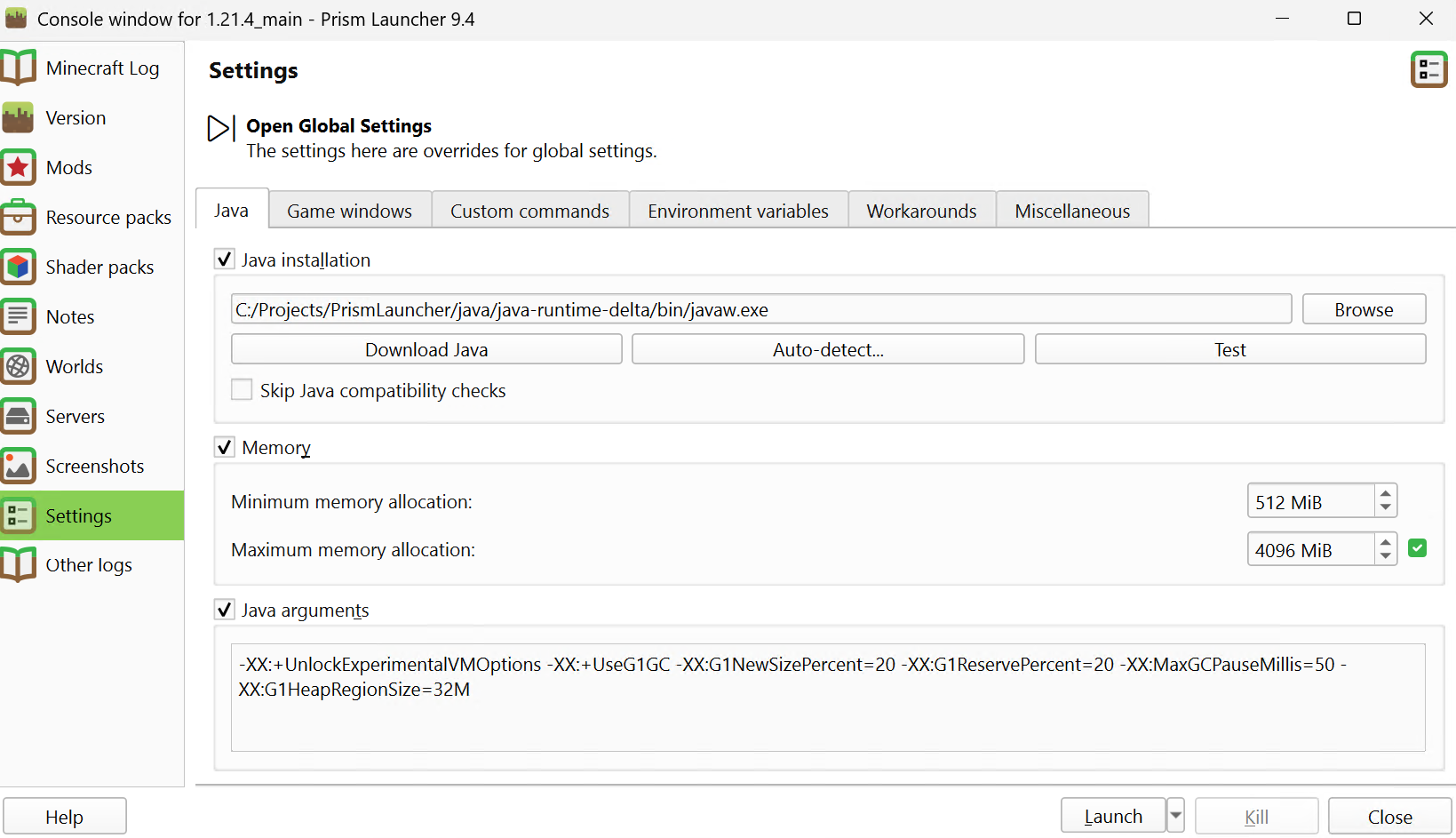
In the game instance’s Settings tab, under the Java card, I added the following line to the Java arguments:
-XX:+UnlockExperimentalVMOptions -XX:+UseG1GC -XX:G1NewSizePercent=20 -XX:G1ReservePercent=20 -XX:MaxGCPauseMillis=50 -XX:G1HeapRegionSize=32M. I set Minimum Memory Allocation to 512, and Maximum Memory Allocation to 4096.
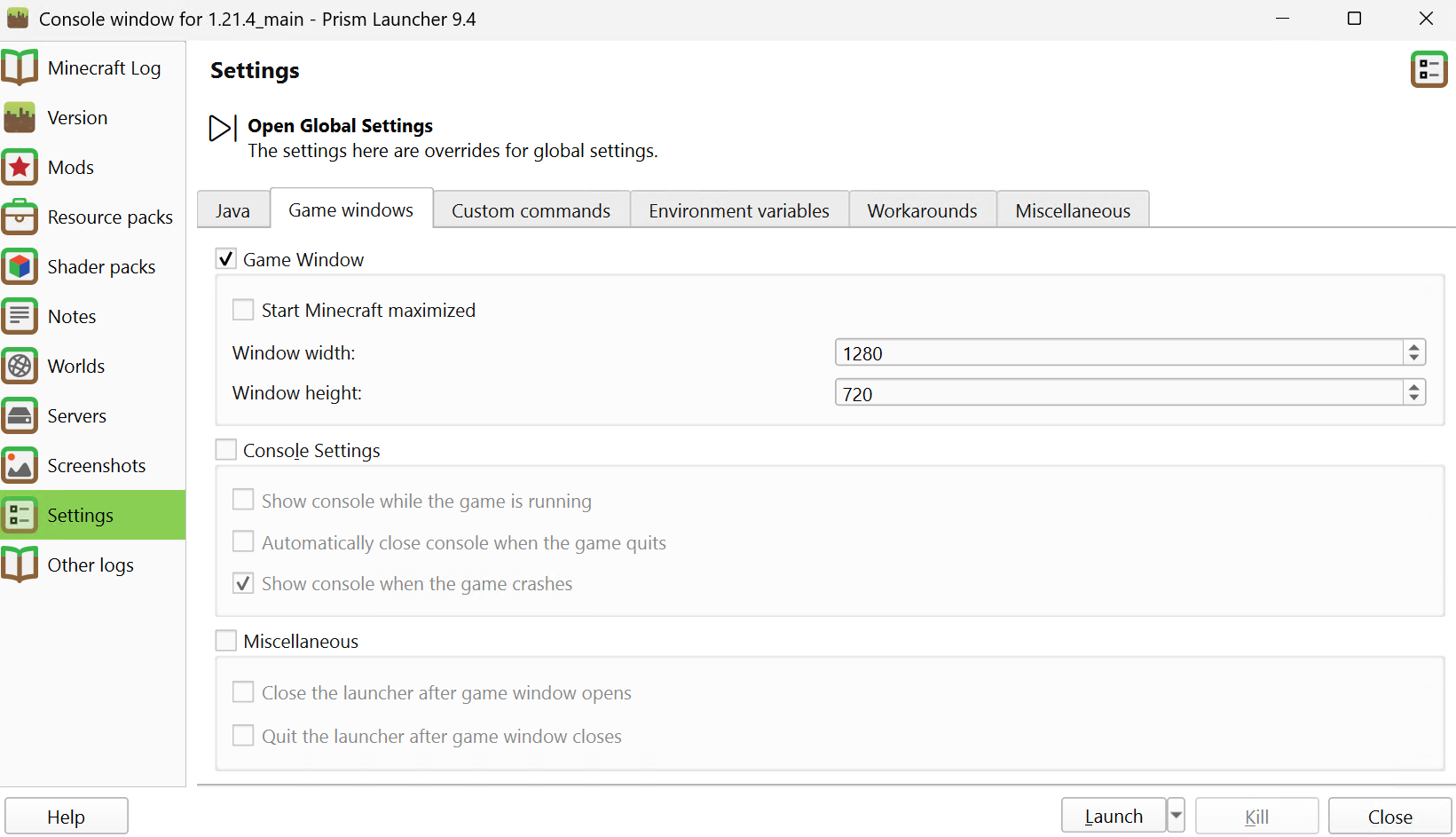
Then, in the Game Window card, I set the window size to be 1280x720 for 720p recording.
At this point, singleplayer should work. But I wanted to get internal game states (for example, player coordinates) from the game environment in addition to the visuals. I found that setting up the Remote Console (RCON) would be much more straightforward than low-level hacking.
For this, I use PaperMC to host the Minecraft server locally. After installing it and running it for the first time, I went to server.properties to edit the server settings. I set enable-rcon=true, and configured rcon.password and rcon.port (these will be used by the Python scripts later). Other helpful settings include:
difficulty=peaceful
enable-rcon=true
gamemode=creative
level-type=minecraft\:flat
rcon.password=YOUR_PASSWORD
rcon.port=YOUR_RCON_PORT
spawn-monsters=false
If everything is set up properly, you should see the localhost server in the multiplayer screen:
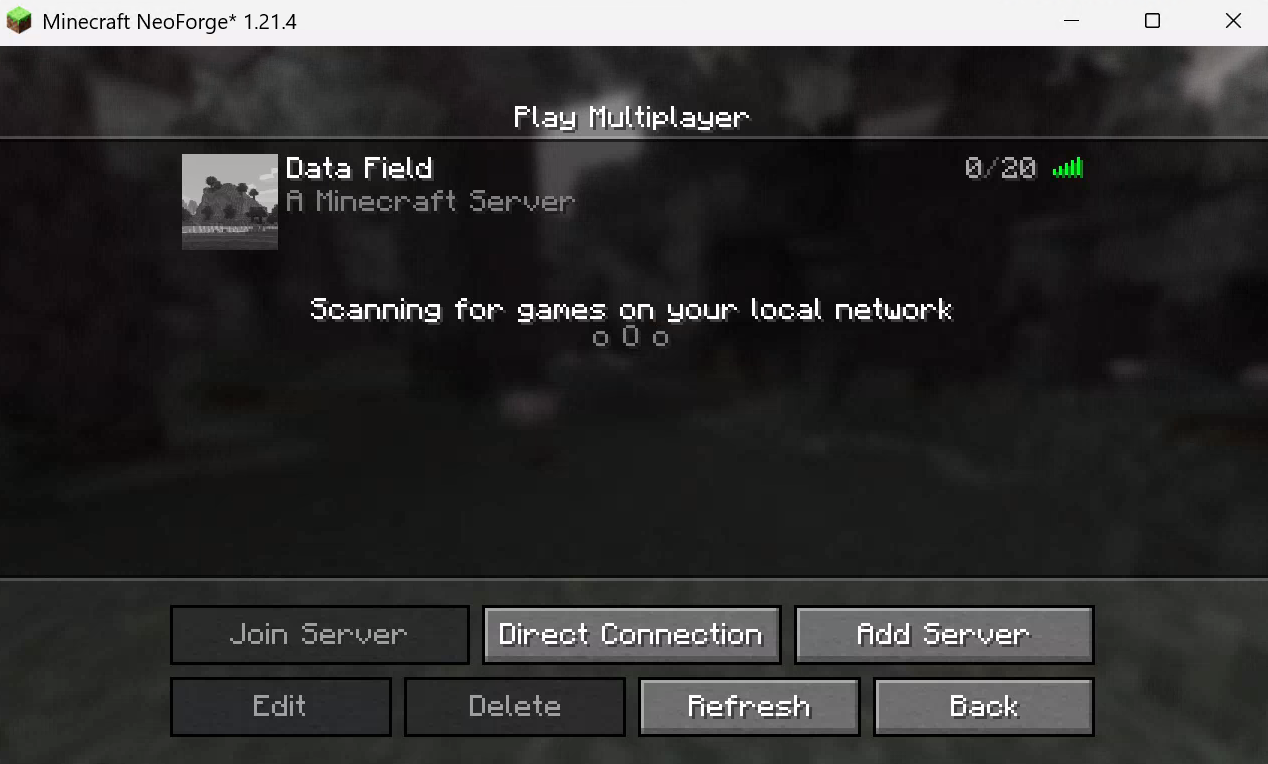
At this point, the Minecraft game and server environment is ready.
Game Recorder and Orchestrator
With the game environment ready, the next challenge was recording well-aligned paired video, game state, and action input data at a high enough frame rate. My approach was to run recorder components concurrently, each responsible for one data source: one video recorder for screen capture, one RCON recorder for game/server state polling, one keyboard/mouse recorder, and one for Xbox controller input. The video recorder is the main recorder that is responsible for clocking, and other recorders operate as plugins. All of them push timestamped records into a shared data hub. The data hub follows the producer-consumer model and serves two purposes: it stores the latest value from each source (so a real-time agent always sees the most recent frame and position), and it accumulates an append-only event stream (so the full session history can be saved to disk).
For screen capture, I use wincam. This allows me to record the borderless game screen at 60 FPS. Since the video recorder can be inconsistent when it first starts, each session begins with a short warmup phase where frames are captured and discarded for a couple of seconds before the actual recording starts.
One design decision for synchronization was that all components should share a single timer instance, getting timestamps from the same clock. An alternative could be synchronizing the events based on the most granular frame steps / ticks, but I decided to just record the raw timelines so they could be aligned afterward. A background saver periodically drains the event log and writes it to a JSONL file. The video itself is saved as an MP4 by wincam.
An orchestrator wires everything together. It creates the shared components (the timer, the hub, the warmup signal), sets up the recorder and its plugins, starts the agent, starts the file saver, then blocks until a stop signal is received. On shutdown, it tears everything down in reverse order. The overall data flow looks roughly like this:
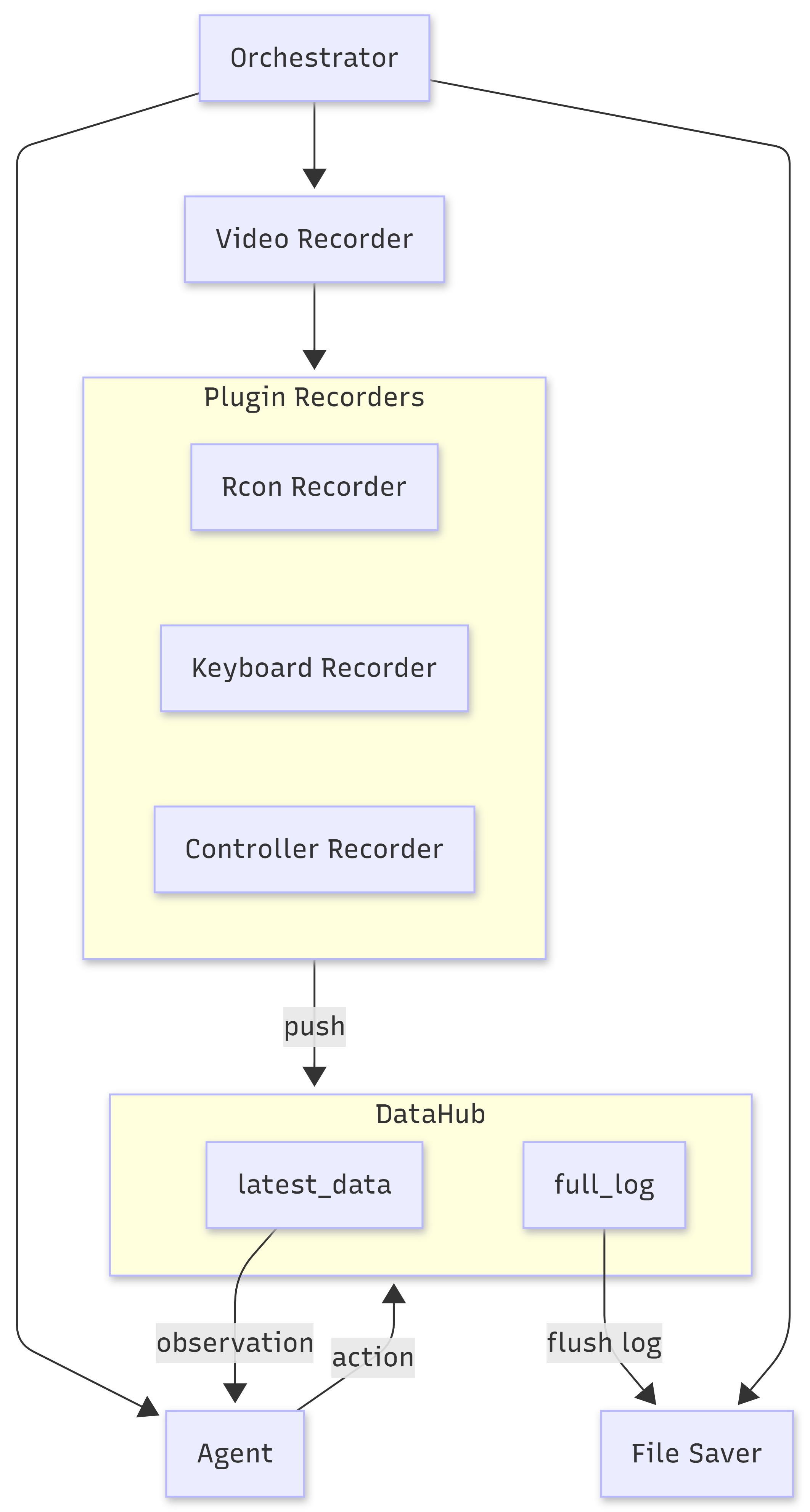
Agent Module
It’s straightforward to send keyboard/mouse signals to the game. For Xbox controller signals, I use vgamepad to emulate a virtual Xbox 360 controller. The Controlify mod works well with it.
I created a standard Gymnasium environment for RL agents. The observation space is obtained directly from the data hub’s latest data. The action space maps to the game controls. This keeps the agent fully decoupled from the game: it reads observations from the hub and sends actions through the virtual controller, with no direct dependency on Minecraft. The agent’s actions are also logged to the hub, so they end up in the JSONL file alongside everything else. Some examples of collected JSONL data:
{"source": "rcon", "data": [{"name": "dataBot", "x": 0.5, "y": 0.0, "z": 1.5, "yaw": -180.0, "pitch": 0.0}], "timestamp": 0.06765409998479299}
{"source": "agent", "data": {"left_stick": [0, 0, 0, 1], "right_stick": [0, 0, 0, 1]}, "timestamp": 0.10110059997532517}
{"source": "rcon", "data": [{"name": "dataBot", "x": 0.5, "y": 0.0, "z": 1.5, "yaw": -180.0, "pitch": 0.0}], "timestamp": 0.13465519997407682}
{"source": "agent", "data": {"left_stick": [0, 1, 1, 1], "right_stick": [0, 0, 1, 1]}, "timestamp": 0.20149589999346063}
On startup, the agent waits for the warmup phase to finish so the capture pipeline is stable. Then it enters a loop: read the latest observation, compute or sample an action, log the action, send it to the virtual controller, and repeat. Because the agent communicates through the hub and the virtual controller rather than through Minecraft-specific interfaces, the orchestrator can swap in any agent that satisfies this interface: a random agent for collecting exploration data, a trained RL policy, or an LLM/VLM that calls an API.